Be found on Google
Goal: help Google and social networks show your shop well: good titles and descriptions, share images, a sitemap, and no broken links after you rename a page.
Who this is for: shop owners and editors. You do not need any technical knowledge.
Time: about 15 minutes.
This is chapter 11 of Build a ceramics shop, step by step.
Before you start
Words you will see
| Word | What it means |
|---|---|
| SEO | "Search engine optimisation" — small things that help Google understand and show your pages. |
| SEO title | The title Google shows in its results. It can be longer than the page title. |
| SEO description | One or two sentences Google shows under the title. |
| Share image | The photo that shows when someone shares the page on social media or in a chat. |
| Sitemap | A list of all your pages that Google reads. The CMS makes it for you. |
| Redirect | A rule that sends visitors from an old address to a new one. |
What the CMS already does for you
You do not need to do anything for these:
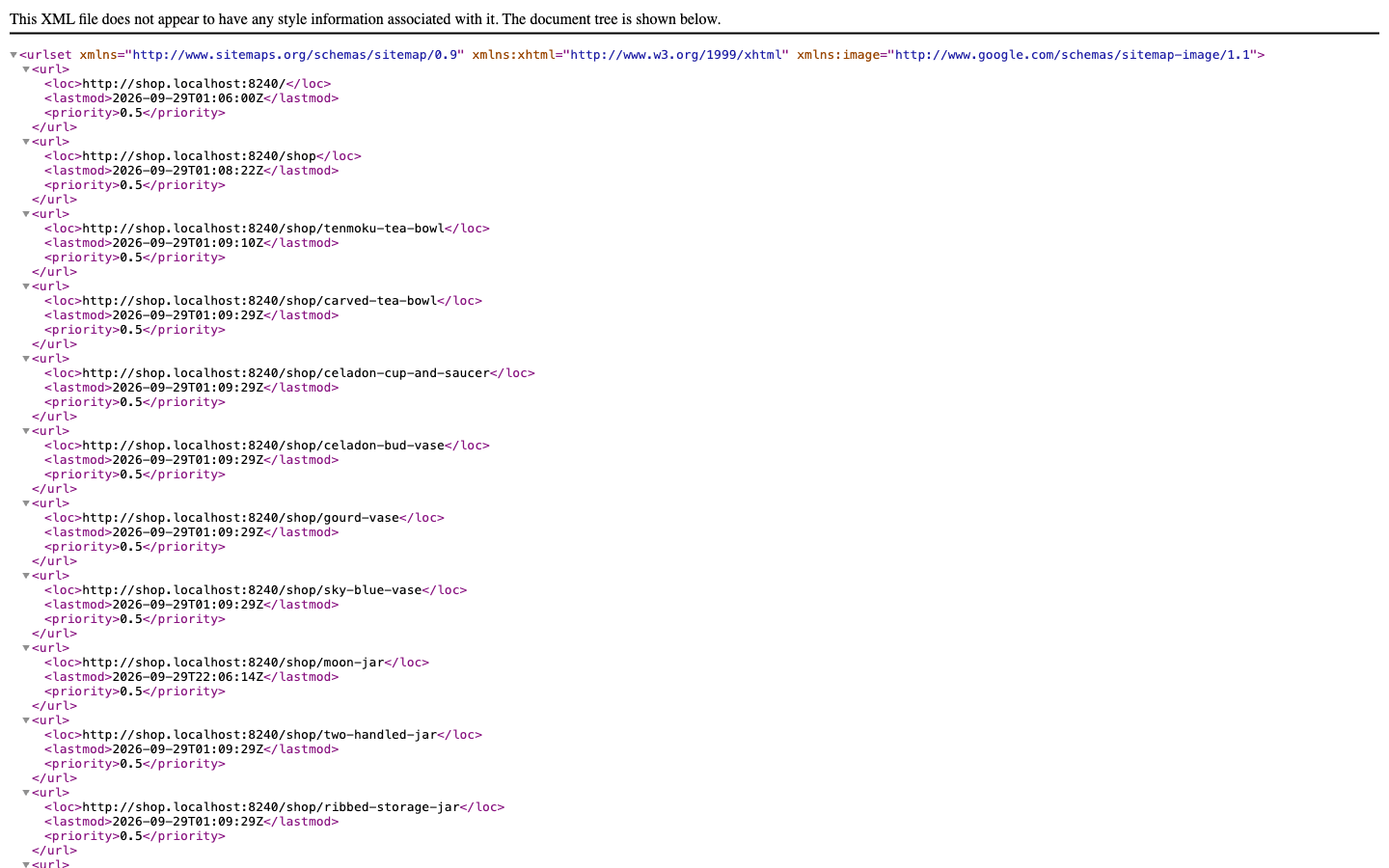
- Sitemap — every published page is listed at
/sitemap.xml, with its full address and the date it last changed. - robots.txt — at
/robots.txt, it tells search engines where the sitemap is and keeps them out of the admin. - Share images — when you choose no share image, the page uses its first photo (for a product: its photo; for the home page: the big photo).
- Page titles — every page has a
<title>, from the page title and the shop name.
Steps
1. Look at the SEO checks
Open a product, for example Moon jar, and click the SEO tab (the icon with a small list, at the top of the editor). The CMS checks the page and lists what to improve.
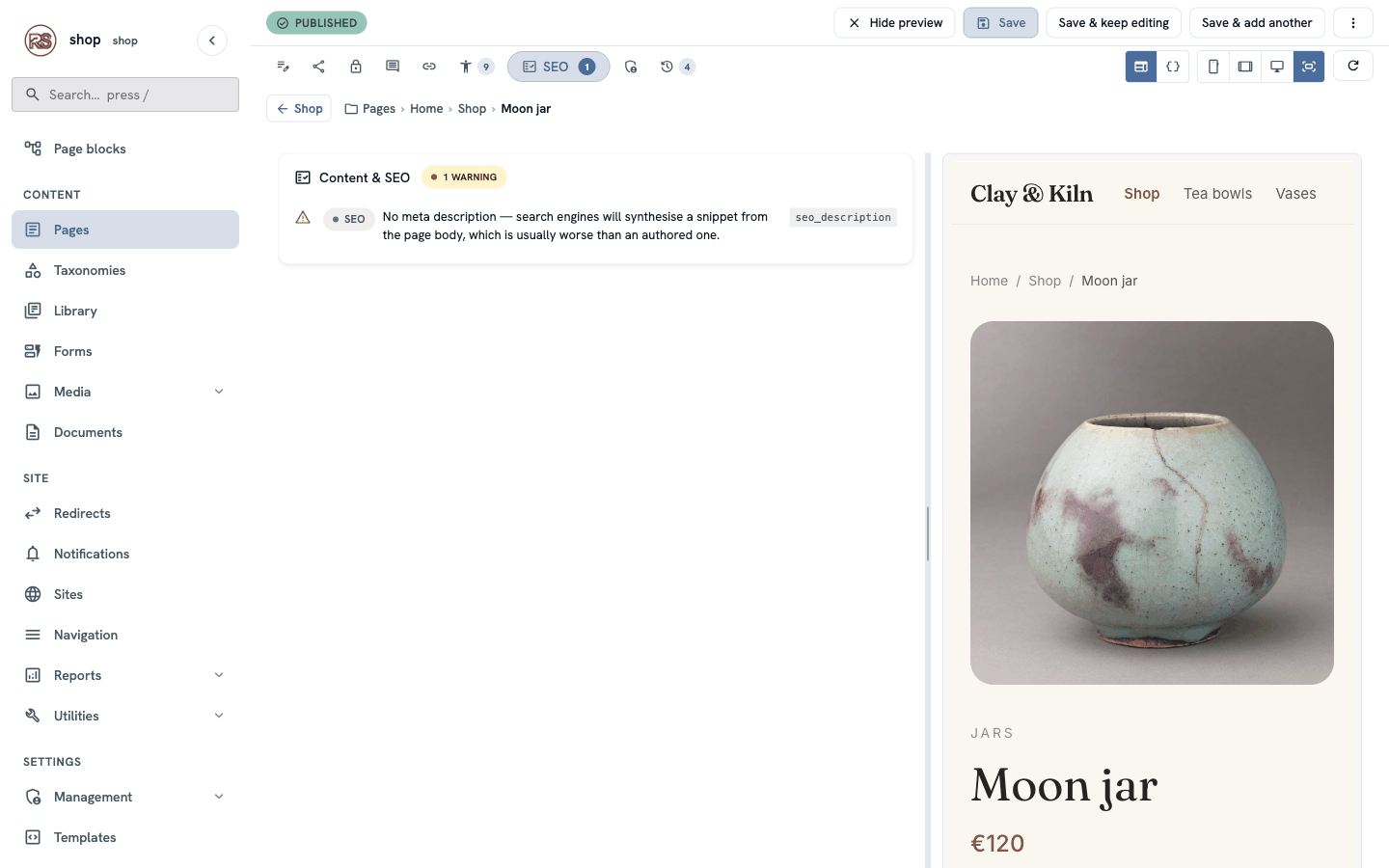
Here there is one warning: the page has no description, so Google would make one up from the page text.
2. Write the SEO title and description
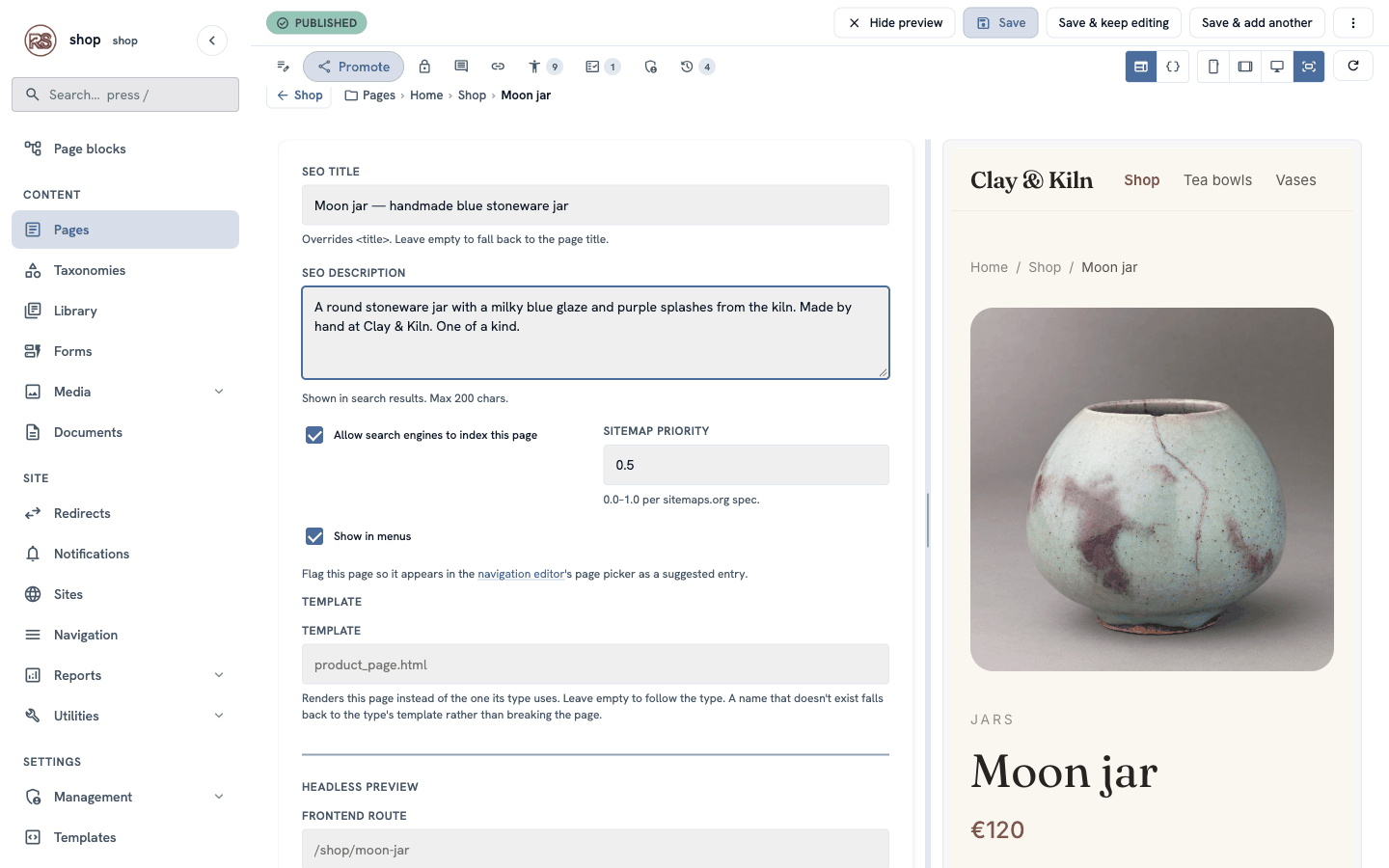
Click the Promote tab (the share icon) and fill in:
| Box | Example | Tip |
|---|---|---|
| SEO title | Moon jar — handmade blue stoneware jar | Say what it is. Keep it under about 60 characters. |
| SEO description | A round stoneware jar with a milky blue glaze and purple splashes from the kiln. Made by hand at Clay & Kiln. One of a kind. | One or two full sentences. Up to 200 characters; Google shows about 155. |
Below them:
- Allow search engines to index this page — keep it ticked. Untick it only for pages Google should not show (a thank-you page, for example).
- Sitemap priority — keep
0.5. It is only a hint.
Click Save & keep editing.
3. Check again
Click the SEO tab again. It says No content or SEO issues detected.
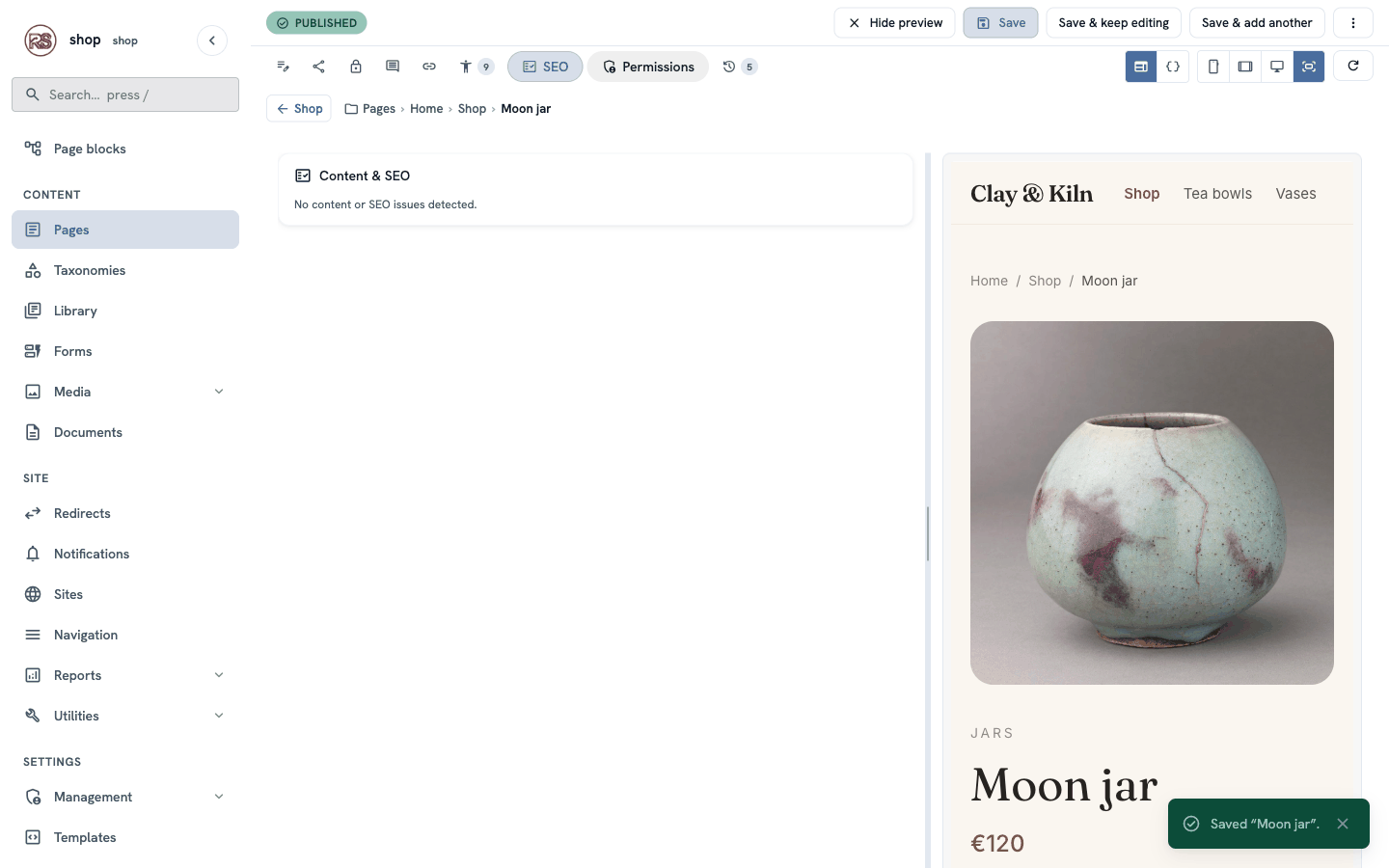
The browser tab of the page now shows your SEO title, and Google will use the title and the description the next time it visits.
Share image: this product has no share image chosen, so its photo is used. To use a different photo, choose one under Social sharing → OG image on the Promote tab (see The shop page, step 3).
4. Rename a page without breaking links
The shop wants to sell the white bowl as a salad bowl. Changing its address is safe — the CMS keeps the old address working.
- Open White serving bowl.
- Change Title to
White salad bowland Slug towhite-salad-bowl. - Click Save.
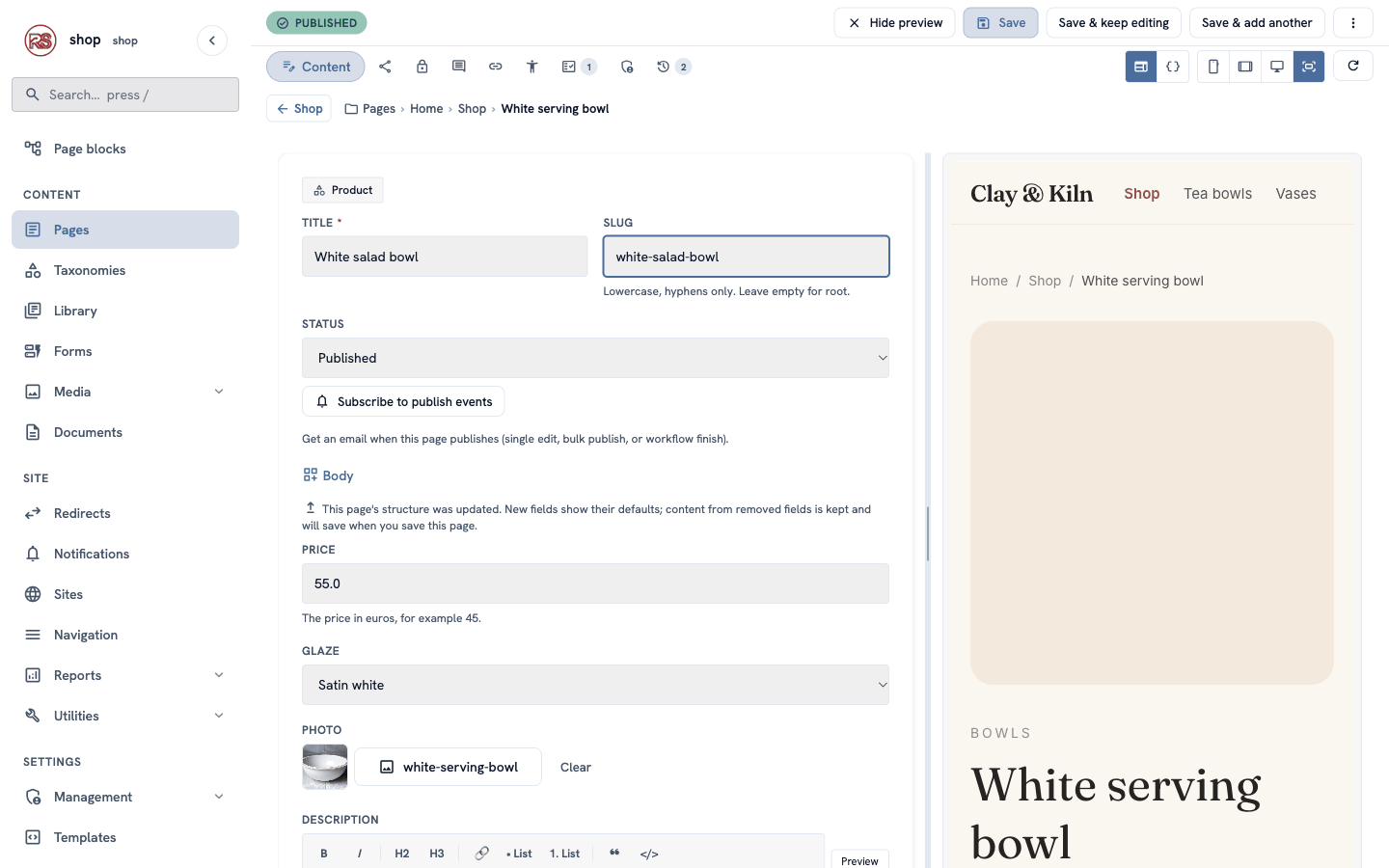
Now open the old address, /shop/white-serving-bowl. The browser goes to /shop/white-salad-bowl by itself.
Go to Redirects in the menu on the left. The CMS added a rule: from the old address to the page, 301 PERMANENT, with the note Automatic: the page was renamed. The chain icon means the rule follows the page — if you rename it again, the rule still points to the right place.
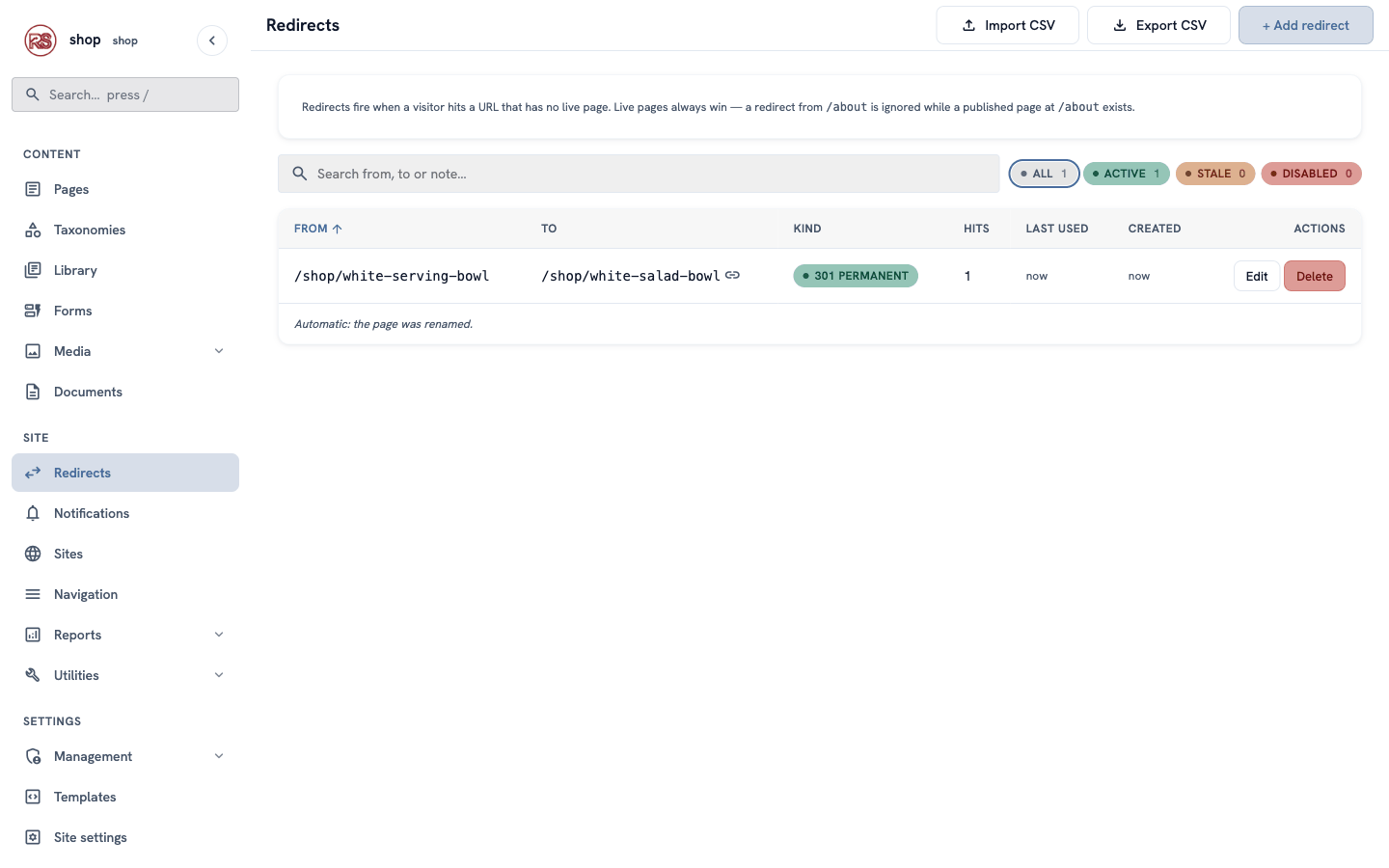
301 or 302? A 301 (permanent) redirect tells Google that the page moved for good, so Google updates its results. Use a 302 (temporary) only when the old address will come back.
5. Add a redirect yourself
Your flyers print the address clayandkiln.example/pottery, but the shop is at /shop. Send those visitors to the right page:
- In Redirects, click + Add redirect.
- From path:
/pottery - To page: click Choose a page… and choose Shop. The To path fills in by itself.
- Keep Permanent (301) ticked. Note:
Old address on our flyers. - Click Create redirect.
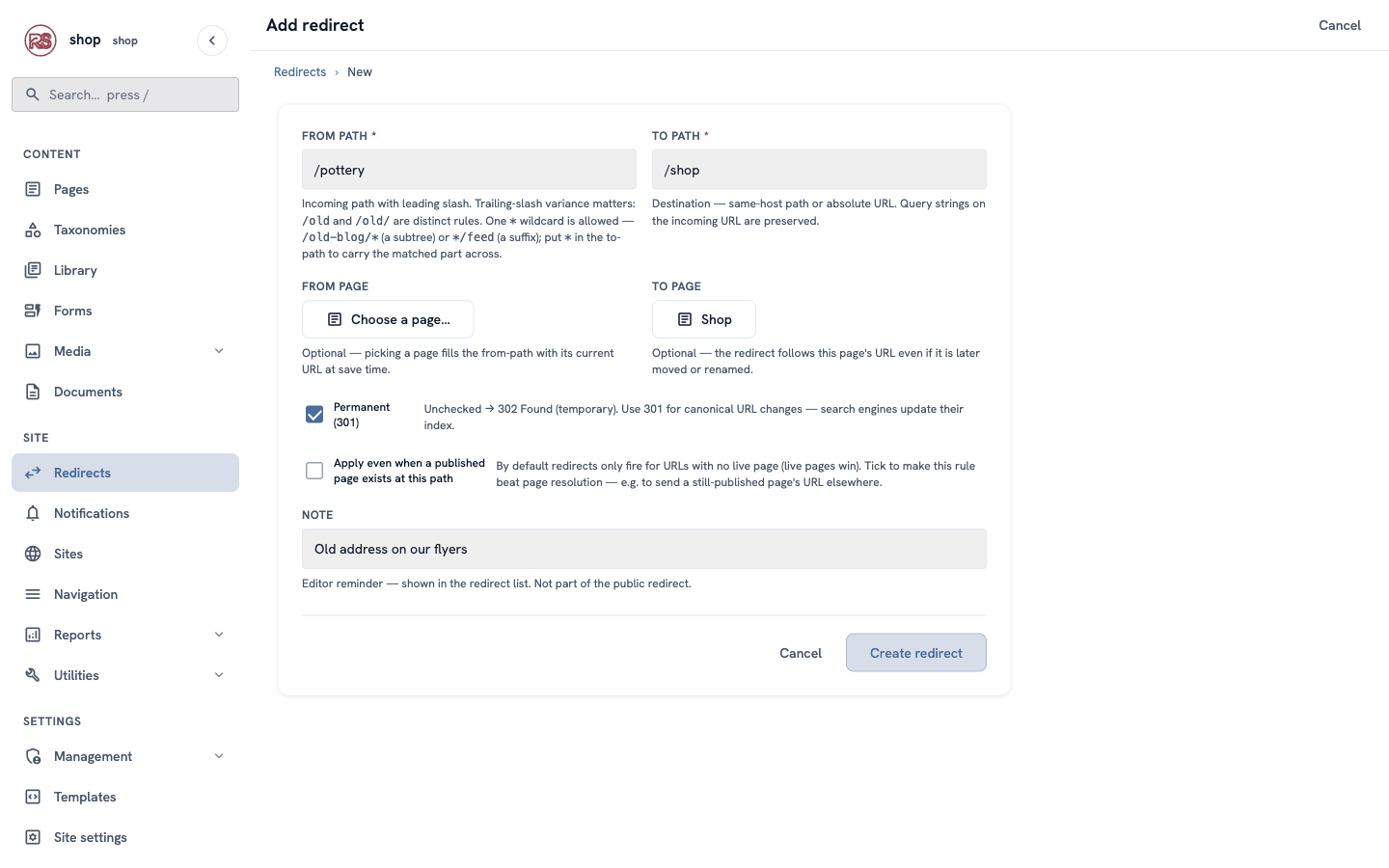
To page or To path? Choose a page when you can: the redirect then follows the page even when it is renamed. Type a To path only for addresses that are not pages, or for other websites (
https://…).
Check it worked
- The Moon jar page's browser tab says Moon jar — handmade blue stoneware jar · Clay & Kiln.
/shop/white-serving-bowland/potteryboth go to the right pages./sitemap.xmllists white-salad-bowl, not the old address.
If something goes wrong
| Problem | What to do |
|---|---|
| Google still shows the old title. | Google visits pages every few days or weeks. Your change shows after its next visit. |
| A redirect does nothing. | A live page at the From path wins over the redirect. Change or unpublish that page, or tick Apply even when a published page exists at this path. |
| Two rules for the same old address. | Not possible — each From path can have only one rule. Edit the existing one. |
| A share preview shows no picture. | Choose an OG image on the Promote tab, or give the page a photo. |